

Get your API key
Sign in at app.skyvern.com, open Settings → API keys and copy the key.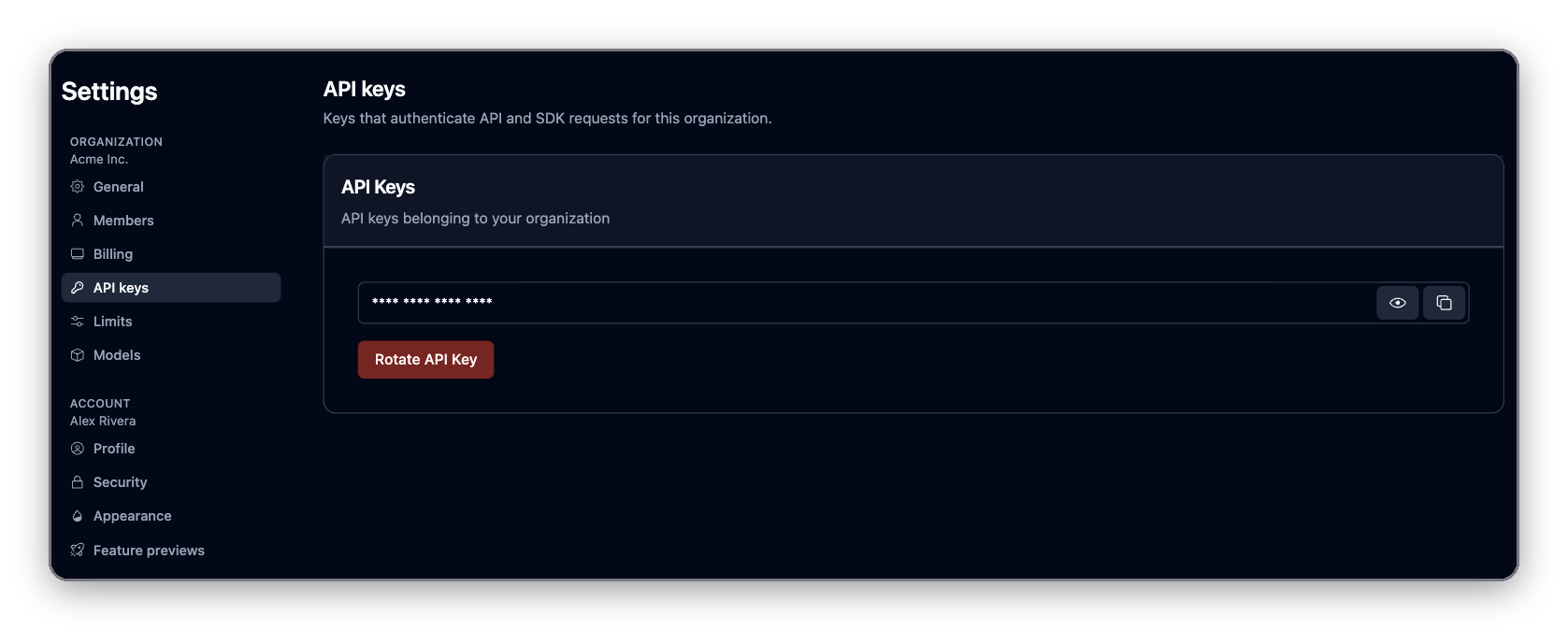
Install the SDK
skyvern package covers the REST API: running tasks and agents, reading runs, managing credentials. To drive a browser page from your own code, you also need the local extra; see Drive the browser from code.
Run your first task
A task is one prompt plus a starting URL. Skyvern opens a cloud browser, works toward the goal and returns the result. The SDK samples wait for the run to finish; the REST API returns immediately and you poll.created,queued: waiting for a browser.running: the agent is working.paused: waiting on a person (agent runs with a human interaction step).completed: finished successfully.failed,terminated,timed_out,canceled: finished without success. Readfailure_reasonon the run.
wait_for_completion (Python) and waitForCompletion (TypeScript) poll for up to 30 minutes by default. Pass timeout in seconds to change that.
See the run in the app
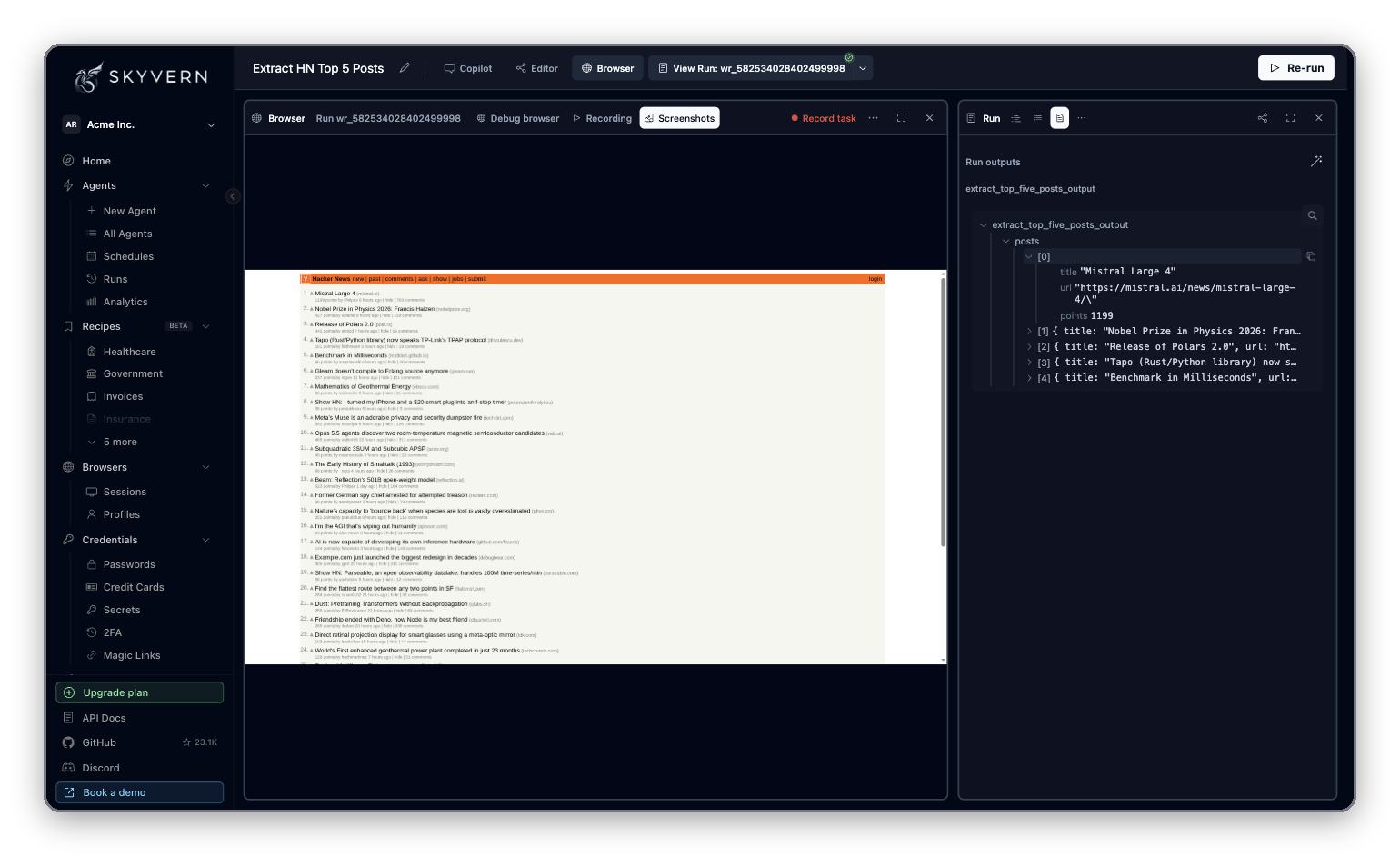
Open theapp_url from the output, or go to Agents → Runs in the app. Each run shows the browser recording, every step the agent took with its screenshot and reasoning, and the extracted output.
Drive the browser from code
run_task hands the whole goal to Skyvern. To control each step yourself, launch a cloud browser and work with its page. The page is a Playwright page with AI methods added: act, extract, validate and prompt.
In Python, these browser methods need the local extra, which adds Playwright. You need it even though the browser runs in Skyvern Cloud. The TypeScript package already includes Playwright.
Launched new cloud browser session line with a https://app.skyvern.com/browser-session/pbs_... link. Open it to watch the browser live while your script runs.
Browser automation covers the full page model: selectors with AI fallback, schemas, logins, downloads and tabs.
Hand it to your coding agent
Paste your API key into the box, then copy the prompt into Claude Code, Cursor, Codex or another coding agent. The agent installs the SDK, asks what you want to automate, writes the script and runs it. To give the agent browser tools directly instead of writing SDK code, connect the MCP server.Troubleshooting
Error: ... requires local embedded/browser support
Error: ... requires local embedded/browser support
You called a browser method (
launch_cloud_browser, get_working_page, page.extract) with only the base package installed. Install the local extra:Python version errors
Python version errors
The SDK requires Python 3.11 to 3.14. Check with
python3 --version. To install into an isolated environment instead, use pipx install "skyvern[local]".401 or invalid API key
401 or invalid API key
Copy the key again from Settings → API keys and check for stray spaces or newlines. If someone clicked Rotate API Key, the old key no longer works.
I want to run Skyvern on my own machine
I want to run Skyvern on my own machine
Running against your own Skyvern server and a local browser is covered in Self-host. The SDK code stays the same; you point it at your server.
Next
Browser automation
Selectors with AI fallback, schemas, logins, downloads and tabs.
MCP and coding agents
Give Claude Code, Cursor and other agents Skyvern’s browser tools.
Going to production
Webhooks, retries, proxies and cost control.